
Tulsa World: Local News
BH Media Group Inc.News & Magazines
3.6136.00 Reviews
- Version
- 9.22
- Installs
- 10.00K
- Age Rating
- Everyone 10+
Screenshots
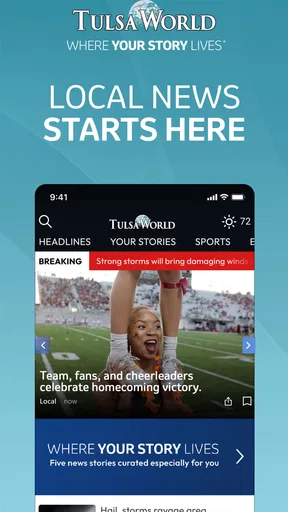

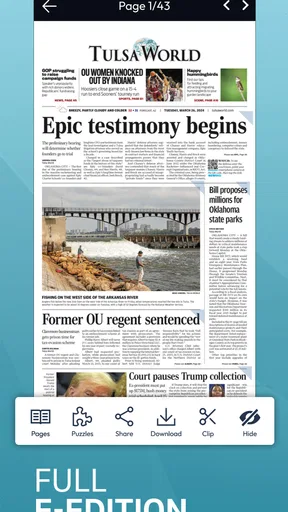

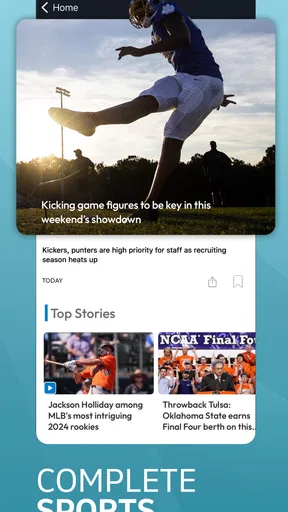
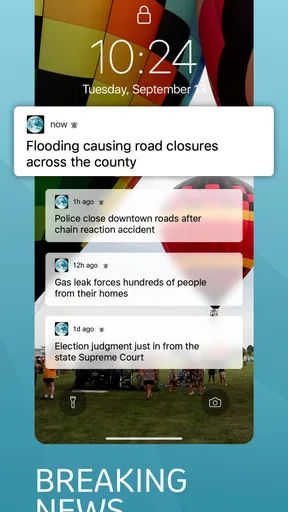
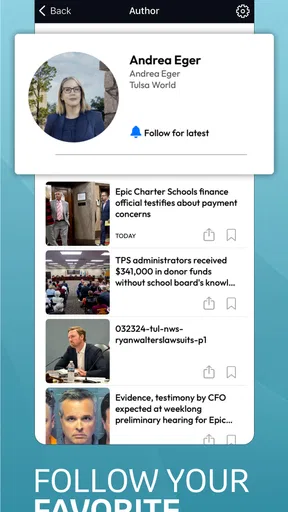

Our Review of Tulsa World: Local News
 Analysis by Appyee
When I open Tulsa World: Local News, I approach it as a focused news reader rather than a replacement for every national news source on my phone. The app is built around northeastern Oklahoma, which makes its value very different from a broad headline aggregator. If Tulsa and the surrounding area are part of your daily life, that local focus can save time and make the news feel more relevant. If you mainly want world affairs, sports from many regions, or a single feed covering several cities, I would look elsewhere.
The app comes from BH Media Group Inc. and sits in the News & Magazines category. It is free to install, carries an Everyone 10+ content rating, and has been available since July 20, 2011. That history gives it the feel of an established local publication app rather than a newly launched experiment. At the same time, its average rating is 3.6 from around 333 ratings, so I would not install it expecting a universally smooth experience. My recommendation is more specific: try it if local awareness matters to you, then judge it by how quickly it helps you find useful Tulsa-area reporting.
What to expect from a Tulsa-focused news reader
The first important expectation is geographic. This is not simply a generic news app with Tulsa mentioned occasionally. Its purpose is to act as a personalized daily news source for northeastern Oklahoma. That makes it especially suitable for residents, commuters, students, families, and anyone who needs to keep an eye on local developments without sorting through national headlines first.
I find that distinction useful during an ordinary morning. Instead of scrolling past stories about places I do not live near, I can start with the area that affects errands, travel, work, school, and community conversations. A local news app can also be useful for someone who has moved away but still wants a practical connection to Tulsa. The benefit is not that every story will matter; it is that the app begins with a more relevant editorial boundary.
The experience should be understood as a publication-centered feed. I would use it to check what is happening locally, open stories that deserve more attention, and return later when a developing issue affects my plans. I would not treat it as a live emergency alert system or as my only source for a major event. For urgent information, official local agencies and direct announcements are usually the safer companions.
Because the app is free, the initial decision is relatively easy. You can test whether the coverage matches your interests without committing to a purchase at installation. However, in-app purchases range from around twenty-seven dollars to over three hundred dollars per item, so I would pay attention before confirming anything that appears inside the reading experience. Those amounts suggest that some content or access options may be aimed at readers making a larger subscription-style commitment, and a first-time user should not tap through a payment screen casually.
Who will get the most from it
I would recommend it first to people who regularly need northeastern Oklahoma news in one place. A local business owner might check it before opening, a parent might use it to understand community developments, and a commuter could consult it when local events may affect the day. The app also makes sense for readers who prefer a regional publication’s selection over an algorithmic feed assembled from unrelated sources.
It is less convincing for someone who wants a highly customizable national dashboard, extensive international reporting, or a social feed built around many publishers. A large general news service will usually offer more topic breadth. A city-alert app may be better for immediate notices. A browser may also be preferable if you already have a reliable reading routine and do not want another dedicated app.
My practical test is simple: after opening it several times, do the stories help me make decisions or understand conversations I am already part of? If the answer is yes, the regional focus is doing its job. If the feed feels too narrow, installing a broader news app alongside it is more sensible than expecting this one to become something it was not designed to be.
Getting started without making the first session complicated
I would keep the first visit practical: use it to find out whether the regional coverage fits your interests, rather than trying to master every section at once. A quick scan followed by one carefully chosen story should reveal whether the app earns a place in your routine. That makes it easier to move on to the next question: where its convenience has limits.
The first setup should be treated as a relevance check
After installation, I would avoid trying to explore every part of the app immediately. My first goal would be to see whether its local coverage fits my routine. I would open the main news view, scan the available sections and headlines, and notice whether the balance feels useful for me. This is more valuable than judging the app from its icon or from one isolated story.
The personalized angle matters here. Personalization is only helpful when it reduces noise, so I would take a moment to decide what I actually want from the app. Do I want a quick morning scan? Do I mainly care about local public affairs? Am I checking for community news, business developments, or stories that may influence travel? Having that answer makes the first session more purposeful, even if the app itself keeps the setup light.
I would also make sure I understand the difference between reading freely available material and any prompt connected with paid access. Since the app is free to download but includes in-app purchases, the safest habit is to read the wording on a purchase screen before proceeding. A free installation does not automatically mean every article or service inside the app is included without conditions.
The current version is 9.22 and the minimum operating system is Android 8.0. For someone using an older Android phone, compatibility is the first practical checkpoint. If the device meets that requirement, I would still keep the first test modest: open the app, read a few relevant stories, and decide whether the presentation is comfortable enough for repeated use.
A realistic first-day routine
Imagine I am preparing for a weekday in Tulsa. I open the app with a few minutes available, scan the local headlines, and choose one story that could affect my plans. Perhaps the subject concerns a community change, a local institution, or a developing issue in the region. I read enough to understand the basic situation, then close the app and return later if the story becomes more relevant.
That is the first meaningful success I would look for: not reading everything, but finding one local report that improves my awareness. It is a better measure than time spent in the app. A local news tool earns its place when it helps me notice something important before I encounter it indirectly through conversation or social media.
For a family member living outside the area, the same routine could be more personal. A quick check might provide context for a call with relatives or help them follow a local issue from a distance. For a resident, the value may be more practical. The app can become a short daily checkpoint rather than an endless scrolling destination.
How I would handle the first successful action
Once I find a useful story, I would not immediately assume that the entire app will match that one experience. I would test a second article from a different local subject and see whether the coverage remains relevant. This small comparison helps separate a genuinely useful publication feed from a single headline that happened to catch my attention.
I would also build a habit around returning at a predictable time. Local news works best when it becomes part of a routine, but I would keep that routine short enough to maintain. A morning scan can establish awareness, while an evening check can show whether a developing story has changed. The trade-off is that frequent checking may create more noise than value if I do not have a clear reason to return.
Another useful practice is to read beyond the headline before forming an opinion. Local stories can affect real people nearby, and a short title may leave out the context that makes the report understandable. I would use the app as a starting point for awareness, then consult official sources when a decision involves safety, public services, schedules, or other details that need direct confirmation.
Common points of confusion and the limits I noticed
I find it helpful to separate the app’s role as a local publication reader from the jobs handled better by broad news services or official channels. That distinction can prevent frustration when you need a wider view or time-sensitive instructions, and it also clarifies what a paid-access prompt means before you act. With those expectations in place, the next section looks at the boundaries most likely to affect everyday use.
Local coverage is a strength, but also a boundary
The same regional focus that makes the app valuable can make it feel limited. If I am looking for a broad mix of national politics, international events, technology, and culture, a larger news platform will probably serve me better. Tulsa World: Local News is strongest when I want northeastern Oklahoma to be the starting point, not when I want the entire news cycle represented equally.
This is an important trade-off for first-time users. A narrow feed is not automatically a weakness; it can be the reason to install the app. The mistake would be expecting local specialization and universal coverage at the same time. I would pair it with a general news source if I need both, rather than criticizing the app for staying focused.
Free installation does not remove the need to check access details
The app costs nothing to install, but the presence of in-app purchases means I would pay attention to any offer, subscription language, or purchase confirmation. The listed purchase range reaches from around twenty-seven dollars to over three hundred dollars per item, which is significant enough to justify a deliberate decision. I would never tap a prominent button simply because I want to continue reading.
For a household device, this is especially worth remembering. If other family members use the phone or tablet, I would make sure everyone understands when a screen is informational and when it is asking for payment. The app can still be a sensible free starting point, but the payment boundary should be treated as part of the setup rather than ignored.
Ratings are a signal, not a verdict
The app has a 3.6 average from around 333 ratings and around 136 written reviews. I read that as a reason to test it personally rather than assume either perfection or failure. Ratings can reflect device differences, expectations about local coverage, reading access, or frustration with a particular version. They are useful context, but they do not tell me whether the app fits my daily needs.
Its install base is over ten thousand, which indicates that it has found an audience, though it is not the same scale as a national headline platform. For me, the more important question is whether the app opens reliably, presents stories I care about, and makes local reading easier than my existing alternative. A smaller audience can be perfectly acceptable when the editorial focus is specific.
When another option is the better choice
I would skip this app if I need one place for several regions or if I rarely read local news. I would also choose a browser or a broader aggregator if I already have a fast, comfortable method for following Tulsa stories and do not want a separate app. Someone seeking immediate official alerts should look to the relevant public agency instead of relying on a publication reader alone.
On the other hand, I would choose this app over a general feed when local relevance is the priority. Social networks may surface breaking information quickly, but they also mix commentary, repetition, and incomplete context. A focused publication app gives me a calmer starting point for understanding what is happening in the region. That does not make it the only source I need, but it can make the first step more efficient.
How I would use it after the first week
After several days, I would decide whether the app deserves a permanent place on my phone based on three practical questions: Did it help me discover local information I would otherwise miss? Did the reading process feel manageable? Did any access or payment prompts make the experience unclear? Those answers are more useful than simply counting how often I opened it.
If the result is positive, I would keep a lightweight routine. I would scan the main feed, open only stories connected to my interests, and avoid treating every headline as an assignment. This approach protects the app’s main advantage: it can keep me informed about northeastern Oklahoma without demanding the attention of a full-time news dashboard.
I would also use it alongside, not instead of, direct information when details matter. A report can explain a local development, while an official source may provide the exact instruction, schedule, or status needed to act. That combination is particularly sensible for travel disruptions, public services, severe weather concerns, or anything that changes quickly.
For readers outside Tulsa, the decision depends on the strength of the personal connection. If I have relatives, property, work, or ongoing interests in the area, the regional focus may justify the download. Without that connection, the app is unlikely to replace a broader news reader. The most honest recommendation is therefore conditional, but it is also clear: this is for local awareness first.
My final view is that Tulsa World: Local News is worth trying when northeastern Oklahoma news is genuinely part of your life. I like the idea of beginning with relevant regional reporting instead of filtering a huge national feed, and the free installation makes that trial straightforward. I would remain careful around paid access, keep expectations realistic about geographic scope, and use official channels for urgent instructions.
For a first-time user, the best path is uncomplicated: install it on a compatible Android device, scan the local coverage, open one story that matters to your day, and decide whether that small success is repeatable. If it is, the app can become a useful daily companion. If not, a broader news service or a direct web source will probably be a better match.
Verdict
Strengths of Tulsa World: Local News
- Covers Tulsa-area politics, schools, business, weather, and community updates.
- Offers local reporting that may not appear in national news apps.
- Breaking-news alerts can help users stay informed about major events.
- Digital access makes the publication convenient for subscribers on mobile devices.
- Useful for following local sports, events, and regional developments.
Limitations of Tulsa World: Local News
- Many full articles and premium features may require a paid subscription.
- Some users may find notification frequency distracting or excessive.
- Coverage is primarily focused on Tulsa and may feel limited elsewhere.
- App performance and loading speed can vary with connection quality.
- Some content may be unavailable if the app or subscription is not updated.
Similar Picks in This Category
View All
Google News - Daily Headlines
Google LLC4.0

X
X Corp.4.8

Flipboard:Your Social Magazine
Flipboard3.4

Opera News: breaking & local
Opera4.5

Hindi News by Dainik Bhaskar
Dainik Bhaskar Group4.0

Way2News Daily News App
Way2News ( Formerly Way2SMS )4.6
Frequently Asked Questions
What is Tulsa World: Local News?
Tulsa World: Local News is a mobile news app focused on Tulsa and the surrounding Oklahoma communities. It provides access to local reporting, breaking news, politics, crime, education, sports, business, entertainment, weather, and community updates. The app is designed for readers who want a convenient way to follow important stories from the Tulsa area while using an Android or iOS device.
Is Tulsa World: Local News free to download and use?
The app can generally be downloaded at no cost, but access to all articles and features may depend on the subscription model offered by Tulsa World. Some stories may be available to everyone, while other content can be limited by a digital paywall. Before subscribing, check the current pricing, trial terms, renewal conditions, and cancellation instructions shown in the app store or within the application.
What type of news and features are available in the app?
During testing, the app is intended to bring together a broad selection of Tulsa-area coverage, including breaking news, local government, schools, sports, weather, business, entertainment, and opinion content. Depending on the current version, users may also find article alerts, saved stories, multimedia content, personalized notifications, and access to digital newspaper editions or subscriber-only material.
Does the app require an account or subscription?
You may be able to browse some content without creating an account, but an account is typically useful for managing subscriptions, synchronizing access, saving preferences, and using subscriber features. Full access to the publication’s content may require a paid digital subscription or an existing Tulsa World membership. Requirements can change, so review the sign-in and subscription information before downloading or purchasing.
Can I receive breaking-news notifications from Tulsa World?
The application may send notifications about breaking local stories, severe weather, major events, sports results, and other important updates. Notification categories and frequency can usually be controlled through the app or your device settings. If you prefer fewer interruptions, you can disable selected alerts rather than turning off every notification. Availability and customization options may vary between Android and iOS versions.
